> ## Documentation Index
> Fetch the complete documentation index at: https://dripart-chore-sync-comfy-api-v2-spec-2b9c2cf.mintlify.site/llms.txt
> Use this file to discover all available pages before exploring further.

# ComfyUI Flux.2 Dev Example

> This guide provides a brief introduction to the Flux.2 model and guides you through using the Flux.2 Dev model for text-to-image generation in ComfyUI.

<iframe width="560" height="315" src="https://www.youtube.com/embed/TzTS74Ii23A?si=f2NFmhNbU2VI3PwX" title="YouTube video player" frameborder="0" allow="accelerometer; autoplay; clipboard-write; encrypted-media; gyroscope; picture-in-picture; web-share" referrerpolicy="strict-origin-when-cross-origin" allowfullscreen />

## About FLUX.2

[FLUX.2](https://bfl.ai/blog/flux-2) is a next-generation image model from [Black Forest Labs](https://blackforestlabs.ai/), delivering up to 4MP photorealistic output with far better lighting, skin, fabric, and hand detail. It adds reliable multi-reference consistency (up to 10 images), improved editing precision, better visual understanding, and professional-class text rendering.

**Key Features:**

* **Multi-Reference Consistency:** Reliably maintains identity, product geometry, textures, materials, wardrobe, and composition intent across multiple outputs
* **High-Resolution Photorealism:** Generates images up to 4MP with real-world lighting behavior, spatial reasoning, and physics-aware detail
* **Professional-Grade Control:** Exact pose control, hex-code accurate brand colors, any aspect ratio, and structured prompting for programmatic workflows
* **Usable Text Rendering:** Produces clean, legible text across UI screens, infographics, and multi-language content

**Available Models:**

* **FLUX.2 Dev:** Open-source model (used in this tutorial)
* **FLUX.2 Pro:** API version from Black Forest Labs

<Note>
  We are using quantized weights in this workflow. The original FLUX.2 repository is available [here](https://huggingface.co/black-forest-labs/FLUX.2-dev/).
</Note>

<Tip>
  <Tabs>
    <Tab title="Local users">
      Make sure your ComfyUI is updated.

      * [Download ComfyUI](https://www.comfy.org/download)
      * [Update Guide](/installation/update_comfyui)

      Workflows in this guide can be found in the [Workflow Templates](/interface/features/template).
      If you can't find them in the template, your ComfyUI may be outdated.

      If nodes are missing when loading a workflow, possible reasons:

      1. You are not using the latest ComfyUI version (Nightly version)
      2. Some nodes failed to import at startup
    </Tab>

    <Tab title="Cloud users">
      * [Cloud](https://cloud.comfy.org) will update after ComfyUI stable release.

      So, if you find any core node missing in this document, it might be because the new core nodes have not yet been released in the latest stable version. Please wait for the next stable release.
    </Tab>
  </Tabs>
</Tip>

<h2 id="image_flux2">
  Flux.2 Dev
</h2>

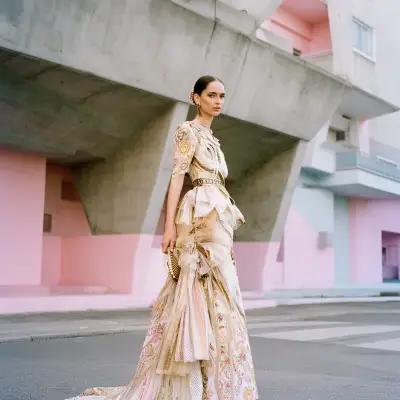
Generate photorealistic images with multi-reference consistency and professional text rendering.

<img src="https://raw.githubusercontent.com/Comfy-Org/workflow_templates/main/templates/image_flux2-1.webp" alt="Flux.2 Dev workflow preview" />

<CardGroup cols={2}>
  <Card title="Run on Comfy Cloud" icon="cloud" href="https://cloud.comfy.org/?template=image_flux2&utm_source=docs&utm_medium=referral&utm_campaign=flux-2-dev">
    Open this workflow directly in Comfy Cloud
  </Card>

  <Card title="Download Workflow" icon="download" href="https://github.com/Comfy-Org/workflow_templates/blob/main/templates/image_flux2.json">
    Download the JSON workflow file for local use
  </Card>
</CardGroup>

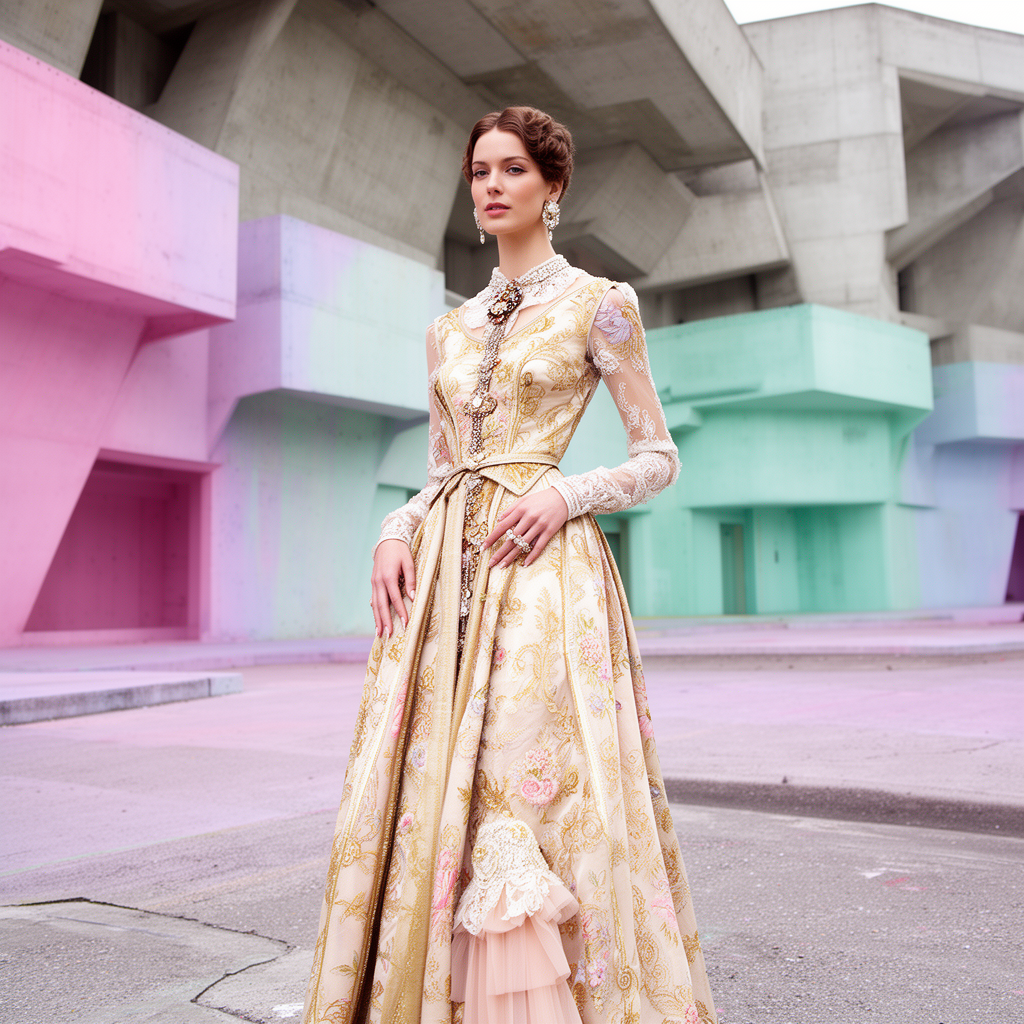
**Input materials**

Upload this file to `LoadImage` node **46**:

<CardGroup cols={2}>
  <Card title="Input Image for Flux.2 Dev" icon="image" href="https://raw.githubusercontent.com/Comfy-Org/workflow_templates/main/input/image_flux2_input_image.png">
    `LoadImage` node 46 · `image_flux2_input_image.png`
  </Card>
</CardGroup>

<div style={{display: 'grid', gridTemplateColumns: 'repeat(2, minmax(0, 1fr))', gap: '1rem', alignItems: 'start'}}>
  <img src="https://raw.githubusercontent.com/Comfy-Org/workflow_templates/main/input/image_flux2_input_image.png" alt="Input Image for Flux.2 Dev" style={{width: '100%', height: 'auto', objectFit: 'contain'}} />

  <img src="https://raw.githubusercontent.com/Comfy-Org/workflow_templates/main/output/image_flux2.png" alt="Flux.2 Dev example output" style={{width: '100%', height: 'auto', objectFit: 'contain'}} />
</div>

<h2 id="image_flux2_text_to_image">
  Flux.2 Dev Text to Image
</h2>

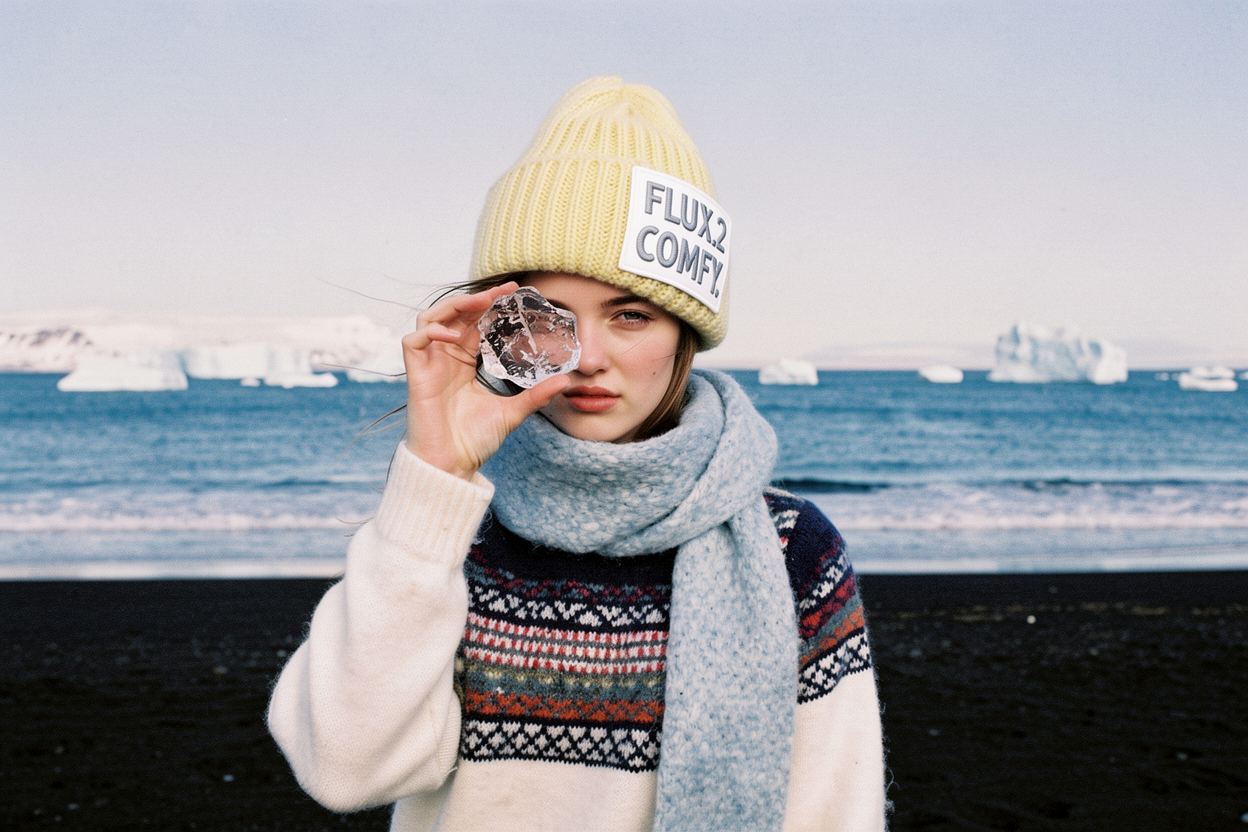
Text-to-image with enhanced lighting, materials, and realistic details. No input images are required.

<img src="https://raw.githubusercontent.com/Comfy-Org/workflow_templates/main/templates/image_flux2_text_to_image-1.webp" alt="Flux.2 Dev text-to-image workflow preview" />

<CardGroup cols={2}>
  <Card title="Run on Comfy Cloud" icon="cloud" href="https://cloud.comfy.org/?template=image_flux2_text_to_image&utm_source=docs&utm_medium=referral&utm_campaign=flux-2-dev">
    Open this workflow directly in Comfy Cloud
  </Card>

  <Card title="Download Workflow" icon="download" href="https://github.com/Comfy-Org/workflow_templates/blob/main/templates/image_flux2_text_to_image.json">
    Download the JSON workflow file for local use
  </Card>
</CardGroup>

**Example output**

![Flux.2 Dev text-to-image example](https://raw.githubusercontent.com/Comfy-Org/workflow_templates/main/output/image_flux2_text_to_image.png)

<h2 id="image_flux2_fp8">
  Product Mockup
</h2>

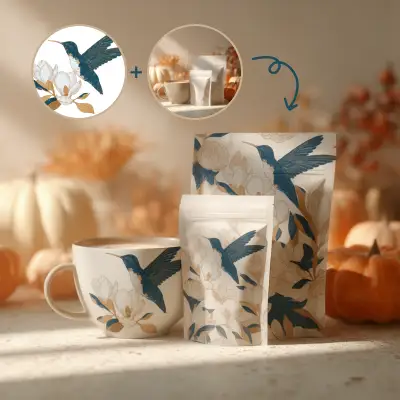
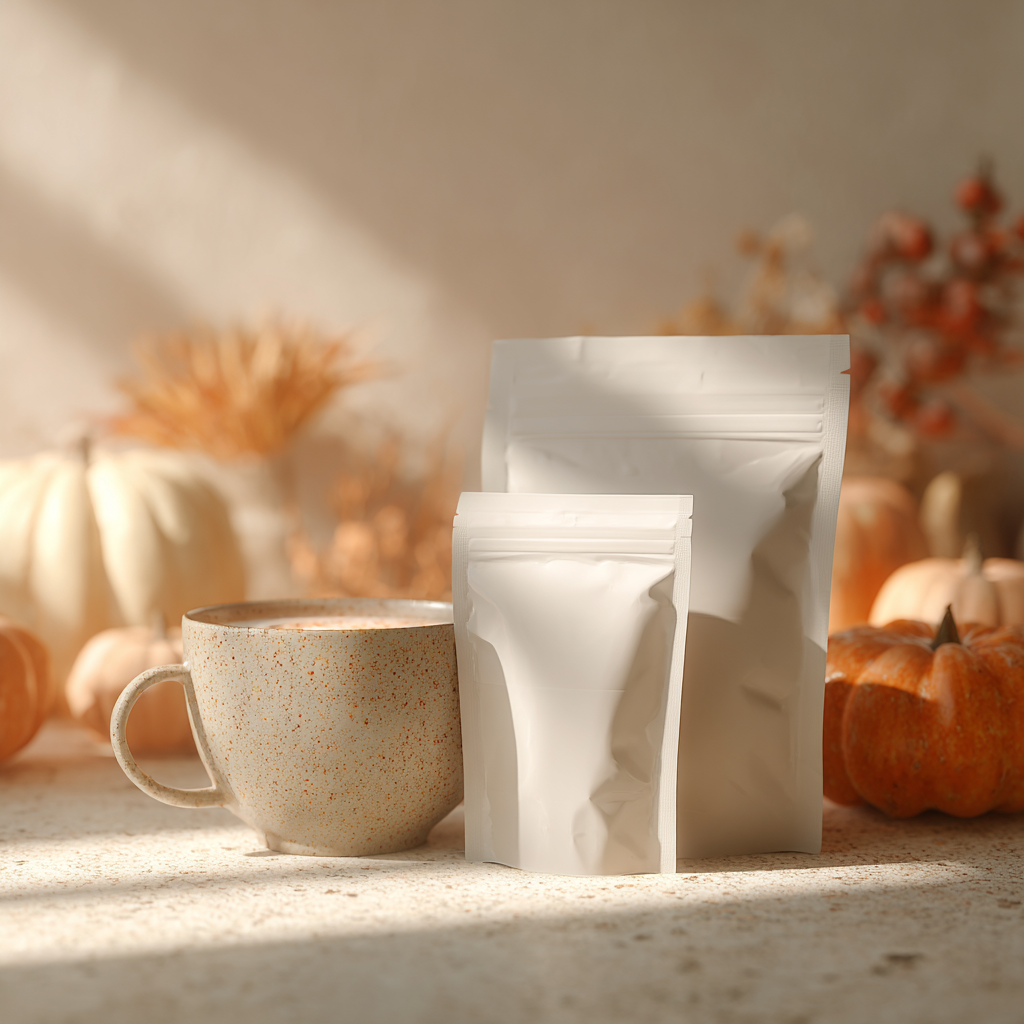
Create product mockups by applying design patterns to packaging, mugs, and other products using multi-reference consistency.

<img src="https://raw.githubusercontent.com/Comfy-Org/workflow_templates/main/templates/image_flux2_fp8-1.webp" alt="Flux.2 Dev product mockup workflow preview" />

<CardGroup cols={2}>
  <Card title="Run on Comfy Cloud" icon="cloud" href="https://cloud.comfy.org/?template=image_flux2_fp8&utm_source=docs&utm_medium=referral&utm_campaign=flux-2-dev">
    Open this workflow directly in Comfy Cloud
  </Card>

  <Card title="Download Workflow" icon="download" href="https://github.com/Comfy-Org/workflow_templates/blob/main/templates/image_flux2_fp8.json">
    Download the JSON workflow file for local use
  </Card>
</CardGroup>

**Input materials**

Upload these files to the matching `LoadImage` nodes:

<CardGroup cols={2}>
  <Card title="Input Ref Image for Flux.2 Dev" icon="image" href="https://raw.githubusercontent.com/Comfy-Org/workflow_templates/main/input/image_flux2_input_ref_image.png">
    `LoadImage` node 42 · `image_flux2_input_ref_image.png`
  </Card>

  <Card title="Input Illustration for Flux.2 Dev" icon="image" href="https://raw.githubusercontent.com/Comfy-Org/workflow_templates/main/input/image_flux2_input_Illustration.png">
    `LoadImage` node 46 · `image_flux2_input_Illustration.png`

  </Card>
</CardGroup>

<div style={{display: 'grid', gridTemplateColumns: 'repeat(2, minmax(0, 1fr))', gap: '1rem', alignItems: 'start'}}>
  <img src="https://raw.githubusercontent.com/Comfy-Org/workflow_templates/main/input/image_flux2_input_ref_image.png" alt="Input Ref Image for Flux.2 Dev" style={{width: '100%', height: 'auto', objectFit: 'contain'}} />

  <img src="https://raw.githubusercontent.com/Comfy-Org/workflow_templates/main/input/image_flux2_input_Illustration.png" alt="Input Illustration for Flux.2 Dev" style={{width: '100%', height: 'auto', objectFit: 'contain'}} />
</div>

**Example output**

![Flux.2 Dev product mockup output](https://raw.githubusercontent.com/Comfy-Org/workflow_templates/main/output/image_flux2_fp8.png)

## Model links

**text\_encoders**

* [mistral\_3\_small\_flux2\_bf16.safetensors](https://huggingface.co/Comfy-Org/flux2-dev/blob/main/split_files/text_encoders/mistral_3_small_flux2_bf16.safetensors)

**diffusion\_models**

* [flux2\_dev\_fp8mixed.safetensors](https://huggingface.co/Comfy-Org/flux2-dev/blob/main/split_files/diffusion_models/flux2_dev_fp8mixed.safetensors)

**vae**

* [flux2-vae.safetensors](https://huggingface.co/Comfy-Org/flux2-dev/blob/main/split_files/vae/flux2-vae.safetensors)

**Model Storage Location**

```
📂 ComfyUI/
├── 📂 models/
│   ├── 📂 text_encoders/
│   │      └── mistral_3_small_flux2_bf16.safetensors
│   ├── 📂 diffusion_models/
│   │      └── flux2_dev_fp8mixed.safetensors
│   └── 📂 vae/
│          └── flux2-vae.safetensors
```